Diary of a Quilter - a quilt blog

  • Home
  • Tips + Tutorials
  • Shop
  • FAQ
  • Subscribe
menu icon
go to homepage
  • Home
  • Tips + Tutorials
  • Shop
  • FAQ
  • Subscribe
    • Amazon
    • Facebook
    • Instagram
    • Pinterest
  • subscribe
    search icon
    Homepage link
    • Home
    • Tips + Tutorials
    • Shop
    • FAQ
    • Subscribe
    • Amazon
    • Facebook
    • Instagram
    • Pinterest
  • ×

    Introducing: Riley Blake Quilt Kits for the Cricut Maker

    Modified: Nov 13, 2025 · Published: Jul 18, 2018 by Amy Smart · This post may contain affiliate links · 9 Comments

    This post is sponsored by Cricut and contains affiliate links.

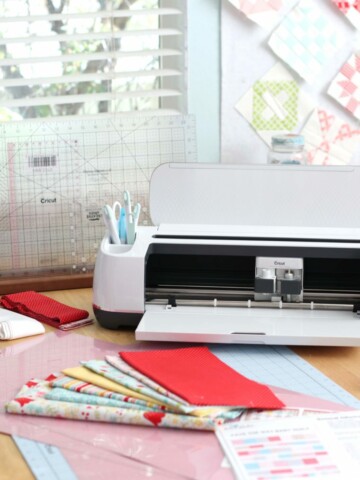
    I've been working on a fun combination project and I'm excited to share with you! I was recently given a Cricut Maker to play with and review by the folks at Cricut. This machine is the first digital cutting machine to be able to cut unbonded fabric - meaning regular fabric off the bolt, without any fusible stabilizer - because of its unique rotary cutter blade. (You can read more about it and see a fun bunting I made here.)
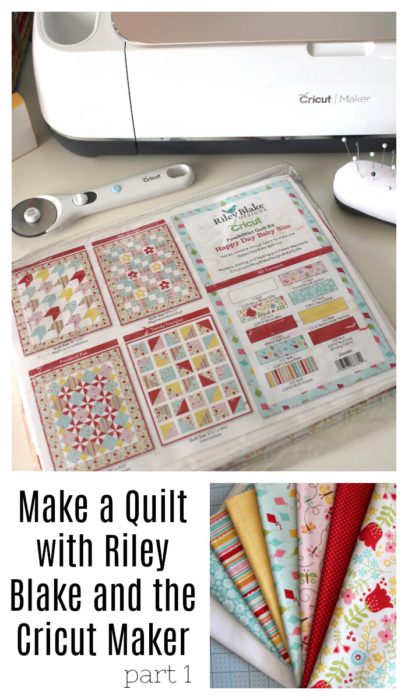
    Make a Quilt with Riley Blake and the Cricut Maker

    Introducing: Riley Blake Quilt Kits for the Cricut Maker

    This technology creates endless possibilities for quilters and as a result, Cricut has teamed up with Riley Blake Designs to offer exclusive quilt patterns + coordinating fabric kits! (UPDATE: fabric kits no longer available, but the patterns are still available in the Cricut Design Space software.)

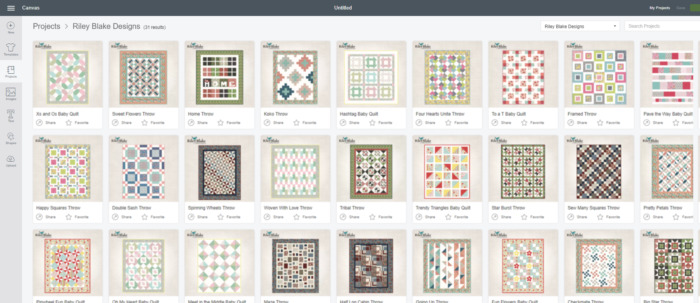
    Cricut has 31 different pre-programed quilt designs in the Cricut Design Space that coordinate with the Riley Blake kits. (You will need to create a free account to the Cricut Design Space and log in to see the quilt designs as well as the other hundreds of projects available there.)

    13 of the designs are Baby size quilts (including those above) and there are 18 Throw size options.

    If you are just getting started in this quilting stuff, Cricut has the other supplies you need to get going including this Rotary Cutting kit which includes a 18" x 24" double-sided self-healing cutting mat (not to be confused with the mats that load into the Maker machine itself) that comes with a 12" x 18" acrylic ruler and a rotary cutter. (Or you can buy each of the items separately: mat, ruler, and rotary cutter.)
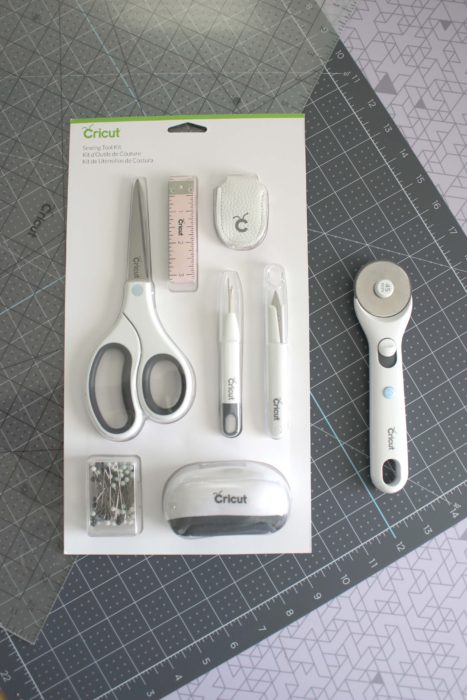
    If you're just getting started, Cricut also sells a Sewing Kit will basic sewing notions in one place.

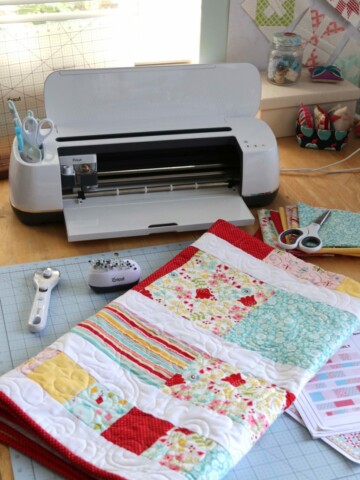
    Over the next few weeks, I'm going to be making and sharing the Pave the Way Baby Quilt design using the Happy Day Baby quilt kit.

    I've printed out my preparation and cutting instructions as well as the Assembly Instructions for this project.
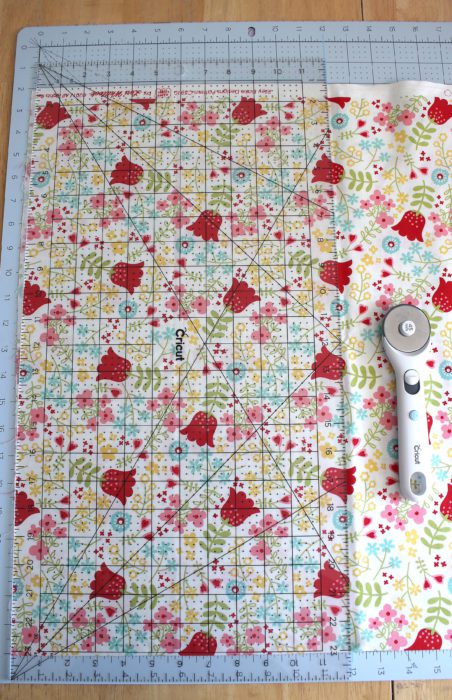
    I've also been prepping my fabric so that it's ready to go into the Cricut Maker. This is where the 12" x 18" ruler comes in really handy trimming yardage down to the perfect 12" width to feed into the Maker machine. The rest of the fabrics from the kit are ready to go!

    Next week I'll be demonstrating how the Maker cuts 90% of the fabric pieces for the quilt as well as going over some simple tips for rotary cutting the sashing and binding strips! You can find that post in Part 2 here.

    Quilt assembly steps as well as the finished quilt, see Part 3 here.

    This is a sponsored conversation written by me on behalf of Cricut. The opinions and text are all mine.
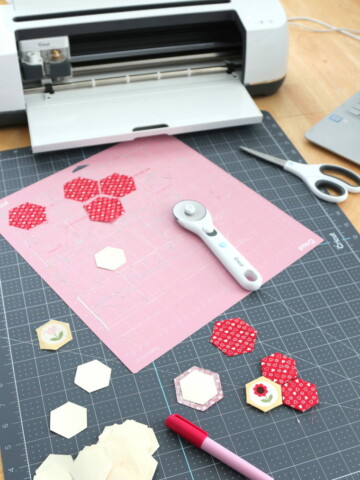
     

    More Cricut Maker

    • Cutting Fabric for Quilt Blocks with the Cricut Maker
    • Finishing a Quilt with Riley Blake and the Cricut Maker
    • Cutting Riley Blake quilt kit with the Cricut Maker digital cutting machine
      The Cricut Maker + Riley Blake Quilt Kits part 2
    • Cutting Wool Felt Circles with the Cricut Maker

    Comments

      Leave a Reply Cancel reply

      Your email address will not be published. Required fields are marked *

    1. Connie says

      July 21, 2018 at 4:51 pm

      Will we be able to just get the pattern for the Happy Day baby quilt? I have a fall / Halloween baby quilt to make and I have all of my material chosen.

      Reply
      • Amy says

        July 24, 2018 at 1:21 pm

        Really good question. Yes! You can buy any of the patterns separately and use your own fabric with any of them.

        Reply
    2. Jennifer Nicolas says

      July 27, 2018 at 12:27 am

      The Riley Blake quilt kits are a great place to start if you are new to quitting.It is very easy to make because they come with all the fabric you need to piece a quilt top in a coordinating selection.

      Reply
    3. Pam Palmer says

      November 23, 2024 at 8:13 am

      I have purchased 4 of these kits. I made a couple and love them however now when I attempt to make cuts with the cricut it says that there is an error and cannot make the quilt. Please advise. Thanks

      Reply
      • Amy says

        November 23, 2024 at 9:11 am

        ah shoot. That's not good. I can't help with tech support, but definitely reach out to Cricut: 1-877-7CRICUT (1-877-727-4288)

        Reply
    4. Seanette Meserole says

      November 13, 2025 at 3:12 pm

      Hi! I purchased a Riley Blake Fabric pack a couple of years ago and would like to make the Pretty Petals quilt, but I cannot find the pattern (or any of the Riley Blake patterns) anywhere on Cricut. I'm fairly new to Cricut. Could you please tell me where to find the patterns? Or have they been deleted from Cricut? Thank you.
      Seanette

      Reply
      • Amy says

        November 13, 2025 at 3:29 pm

        Hi! I just checked to be sure. If you log into the Cricut Design Space app/program and search Riley Blake Quilt Pretty Petals in the search bar on the home page, the pattern is still available there. 🙂

        Reply
    5. Mari Borr says

      May 10, 2026 at 2:56 pm

      I am finally ready to get started on a couple of the Riley Blake Designs Cricut quilt kits I bought a few years ago. It looks like all of the Riley Blake quilt designs have been taken down from Cricut Design Space except Sew Many Squares. Do you know if there is any way we can still access those designs?

      Reply
      • Amy Smart says

        May 12, 2026 at 2:03 pm

        Well hmm... they were still available in Design Space recently but I'm not seeing them right now either. 🙃 Definitely reach out to Cricut Design Space tech support directly. Hopefully they will be able to grant access to what you need!

        Reply

    My name is Amy Smart and I'm a quilter, pattern and fabric designer, wife & mom. Excited to have you here!

    more about me →

    THE PERFECT PLACE TO START

    I SEW WITH

    Baby Lock Sewing Machines

    MY FABRIC COLLECTIONS

    Fabric Collections by Amy Smart for Riley Blake Designs.

    FAVORITE FABRIC SHOPS

    COME SEW WITH ME CRAFTSY CLASS

    Pre-cuts Shortcuts Video Craftsy Class with Amy Smartma

    SEARCH

    Most Recent Posts

    • Ideas for Summer-themed Sewing Projects
    • What's On My Sewing Table - May Edition
    • 12 Lessons I've Learned After 20 years in the Quilting Industry
    • Quilt Batting Options from Missouri Star
    • What's On My Sewing Table - April 2026

    ARCHIVES

    Footer

    ↑ back to top

    PRIVACY POLICY

    DISCLAIMER

    TERMS & CONDITIONS

    CONTACT

    FAQ

    ACCESSIBILITY POLICY

    This site uses affiliate links:

    I make a small commission on some purchases with no additional cost to the reader.

    As an Amazon Influencer, I earn from qualifying purchases.

    Copyright © 2026 Diary of a Quilter - a quilt blog